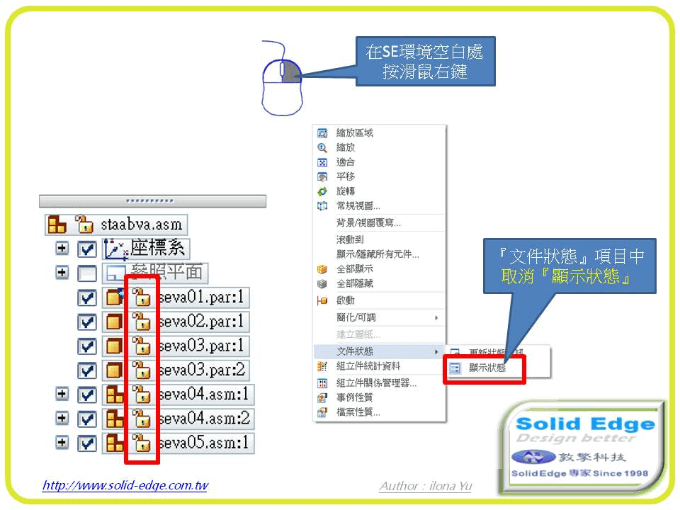
說明:當導航者圖示狀態出現鎖頭符號時,可透過顯示狀態開關將此狀態關閉 步驟:於環境中按滑鼠右鍵→文件狀態→取消顯示狀態
敦擎科技是Siemens Digital Industries Software系列代理商。專注從事CAD / CAM / CAE / PDM 軟硬體技術服務與諮詢整合之公司。